































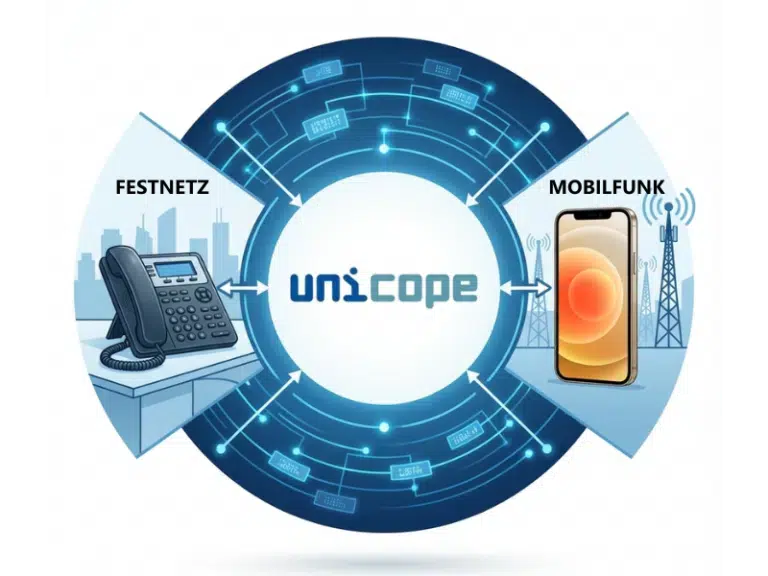

The unicope Multimedia Callcenter offers a professional communication interface to the customer, enabling you to respond to calls, faxes, e-mails and text messages quickly and effectively. The campaign creation and the dialer (agentsoftware) support the outbound operations and increase the efficiency of employees. Overall, the accessibility of the company will grow considerably and increases customer satisfaction. Unicope thus offers the best call center solution for companies of any size.
Queue
The implementation of the
queue within the 1Unified server is one of the main advantages of the Multimedia
Callcenter. In traditional callcenters, the queue is normally provided by the
telephone system, which decreases the performance and thus causes higher hardware
costs. On the one hand the software-based approach relieves the telephone system,
on the other hand, it allows the expansion of the queue to a complete IVR
application, which provides the caller the ability to input data that can be made
available to the service staff, or used for distribution.
- Switching for the longest waiting time of the call (first-in-first-out, adjustable)
- Time based switching
- Free parameterization by busy signal
- Database access
- Freely configurable menus
- Freely configurable announcements
- Freely adjustable (call-)flow
- Switching (fixed or variable content)
Automatic Call Distribution
(ACD)
The automatic call distribution (ACD) allocates
automatically incoming calls in accordance of the criteria to the logged-in service
staff. Beside the group-based distribution exist the opportunities, to establish a
skills-based call distribution, a contact-based distribution (Gold Partner and VIP
routing) or a call distribution on load or priority. The broad definition of
threshold rules (service level, number of callers in queue, number of service
staff) completes the functions of the automatic call distribution.
- Variations of call distribution:
- Group-based
- Skill-based
- Contact-based (Gold-/Partner-/VIP-Routing)
- Load/priority
- Automatic connection to the last agent
- "Preferred" agent with information from ERP / CRM systems
- Definition of threshold rules
- Service-level
- Number of callers in the queue
- Number of service staff
Automatic Message Distribution
(AMD)
The automatic message distribution (AMD) supports any
type of incoming messages according to the set criteria. These are automatically
distributed to the logged-in service staff. If there is no reaction to the message
within a predetermined time period, the system can trigger an alarm, e.g. for
information to the supervisor. If a service employee logs off, and a message that
was distributed to him, then it will be assigned to another service employee.
Beside group-based distribution, there is the possibility of establishing a
skill-based and a contact-based message distribution.
- Supports all kinds of messages (e-mail, fax, voicemail, SMS)
- Automatic distribution to the agents
- Group-/contact- and skill-based distribution
- Alarm function at non-response to a message to the supervisor
Supervisor Software
The ACD
Supervisor provides as well as the configuration of all relevant parameters of the
multimedia callcenter (such as e.g. the definition of service employees, the group
distribution list, the campaigns, all threshold rules, the rental of service
staff), and the configurable monitoring of the callcenter in real time with the
display of a variety of relevant values down to the service staff level (e.g.
service level, status of service employees, queue status). The configuration
includes the ability to save individual-created views and load them if needed. The
ACD supervisor is a program for the generation of online information about current
events within the ACD system. As a Windows based application, the program has an
easy to use interface and supports the supervisor of an ACD system as well as for
routine procedures in the current ACD system, and the fast resource management in
times of high call volumes.
- Supervision of technical and human resources of an ACD system (agents, groups, queues, trunk lines, campaigns).
- Display of statistical information and real-time information
- User configurable views for monitoring resources
- Threshold control of the entire ACD System
- Definition of alarms (visual and acoustic signaling)
- Management of campaigns
- Imparting agents under bottlenecks
- Change agent state (log-in, ready, break, etc.)
Agent software
The agent
software of the Multimedia Callcenter is fully oriented for an ergonomic operation
of the agent. Beside the classical functions such as answering calls, the agent can
also log-in and -out to the Callcenter or change the status (ready, break, wrap up,
etc.). The well-arranged display of the logged-in groups, the assigned calls and
messages (e-mail, fax, voicemail, SMS) make the agent software to an easy to use
tool that is essential for a productive callcenter agent. The widespread campaign
functionality offers beside the classic application also a lost call campaign
function and completes so the scale of the agent software.
- Log-in and -off at the callcenter
- Make and answer phone calls (CTI - Computer Telephony Integration)
- Change the current agent status over a telephone function key, the client software or the voicemail menu
- Display the number of incoming calls and messages
- Start calls in campaigns with one single mouse click
- Lost call campaign function
- One client for all types of messages (e-mail, fax, voicemail, SMS)
Campaign Functionality
The
Multimedia Callcenter supports the implementation of campaigns. This is a list of
phone numbers that can be called by the agents. The definition of a campaign takes
place in the supervisor software. There, the call lists of a campaign can either be
entered manually as well as imported from different lists. A campaign can then be
assigned to one or more groups. The appropriate agents can then pick these orders
from the call lists and block them at the same time, so that two agents cannot
simultaneously work on the same order. The appropriate agents log-on to the system
and signalling their readiness to accept campaign orders. If there exist such
orders, they are assigned to an agent for processing. For other agents such orders
are then locked. If an agent has accomplished an order, he notes it as processed.
The supervisor software allows any time to view the status of a campaign and define
statistics on completed and ongoing campaigns.
Campaign in power mode
(Power Dialling)
In addition to this ,from the
perspective of the agent, active mode, there is also a passive mode, in which the
agents receive the orders automatically assigned. This mode is called power mode.
The behavior if the agents in campaigns are active or passive, is determined by the
agent software.
Reporting
The reporting module
saves all relevant information and statistics for the callcenter in a database and
makes them available for retrieval. To save the data, different SQL-databases are
supported. This allows a long-term preservation and a dealing with very large
amounts of data.v The reporting module can generate attractive reports at specified
intervals or on demand from these data. By using Crystal-Reports, it is possible to
create custom reports in the desired layout and content. The ACD data is saved in
default in a MSDE-database and can then be evaluated custom-personalized and freely
configurable via the integrated reporting module of the Multimedia Callcenter. The
standard reports that unicope provides with the Multimedia Callcenter are based on
the most common report-needs of our customers. In addition to the standard
reporting tool any other reporting engine that provides access to SQL-database can
be used.
Wall Display
The Wall Display
Module allows to control one or multi-cell display panels, on which important
information such as for example the service level or the number of callers in the
queue can be displayed. These content can be defined flexibly in a configuration
file.
We look forward to your request.
Fields marked with * are mandatory.