
































CTI - Computer Telephony Integration
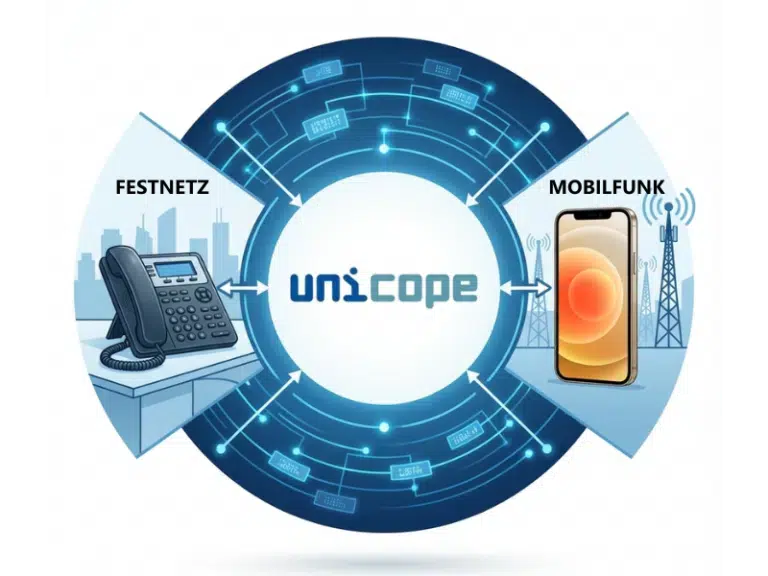
Hard to believe, how much time the constant change between telephone and PC, between communication and information costs. It is also time-consuming to find, update and select telephone numbers of customers, suppliers and colleagues. That there is a different way, shows the new developed CTI solution (computer Telephony integration) uniCommunicator. With uniCommunicator all important services such as CTI, Presence, Instant Messaging and Conversationrecorder can be integrated into one, modular Client.
Telphone Comfort-functions
During telephone calls the numerous standard and comfort telephone functions help
to handle the call comfortable and fast after the needs of the users. Telephone
numbers can simply be selected by mouse click from any address list at the PC.
- Telephone comfort-functions:
Make call, answer call, clear connection, hold, consultation, conference, forward, retrieve, alternate and dial per hotkey from all applications
Teamview and Presence
With the integrated presence-functionality in the teamview it is immediately
evident, which colleague is momentarily attainable. Detailed information (e.g.
dialogue partners or Outlook appointments) can be displayed by the
mouse-over-function. Also the most important telephone comfort functions can be
used immediately in the teamview.
- Teamview top, left/right or in window-mode
- Display of the telephone- and userstatus, actual dialogue partner with name and number, internal/external call, also Outlook appointments with subject and date/time
- Detailed information with mouse-over-function
- Telephone comfort functions with right-click
Outlook/Notes-Integration
UniCommunicator can also be excellent integrated in Microsoft Outlook and Lotus
Notes. A uniCommunicator button in the toolbar is displayed, with whose assistance
marked telephone numbers can comfortably be called with only one click. Also
telephone numbers from Outlook contacts can be selected fast and easy.
- UniCommunicator-Button direct in Microsoft Outlookand Lotus Notes
- Call back e-mail addresser
- Click2Dial from Outlook-Contacts inclusive choice of telephone number (work, mobile, etc.)
- Outlook appointments are shown directly with subject and date/time in the teamview
- Actions-menu in uniCommunicator runs practical mailclient-functions (e.g. make appointment with last caller or create new contact with telephone number)
Info window
A simple and clear signaling of an incoming call is the info window. Caller
information like for example the name are searched automatically from available
data bases (also e.g. Herold) and are directly displayed. With the info window the
call can be received directly or one of the available telephone comfort functions
(e.g. blind forward) can be used. Also a consultation or a phone call record can be
made.
- Discreet call signaling
- Search for Names from all available databases (also e.g. Herold)
- Telephone functions direct available
Conversation window
The Conversation window offers a comfortable overview over the active
communication. For example a call, a telephone conference with several participants
or a consultation with a colleague. In the Conversation window, the active
participants, as well as the duration of a call are displayed. The Conversation
window also contains all available telephone functions as well as a button where a
freely configurable application can be started.
- All telephone functions available
- Display of all communication-information
Instant Messaging
UniCommunicator offers also a fully integrated Instant Messaging function. This
permits a fast text communication between 2 participants without a telephone
connection. This is especially comfortable for exchanging fast information with a
colleague during a current telephone call. Thus the own inbox remains clear and
also the mailserver of the company stays substantially unloaded. In addition,
uniCommunicator offers the possibility to forward Instant Messaging to a mobile
phone.
- Fast and simple form of communication
- Instant Messaging also available beside an active phone call
- Message forwarding to mobile phone available
Call reminder
With the in uniCommunicator built-in call reminder it is possible to create and
execute call remindings fast and easy. A call reminding can be created with
reference, number, date, time and optional notes. At the desired time a memory
message appears automatically and with only one click the call is immediately made.
- All important parameters (name, number, date, time, notes) freely configurable
- Automatic call reminding
Calljournal
The calljournal in uniCommunicator offers all information, which are necessary for
a complete overview of communication. Simply assortment possibilities help to find
thereby fast and comfortably the desired information. In addition it is possible to
call a journal-entry directly. The calljournal can be shown either in a Tab in the
main window of the uniCommunicator or in its own window with larger overview.
- Simply assortment possibilities
- Search for Names from all available databases
- Entries from calljournal also delivered by e-mail
- Calljournal shown in a tab in the mainwindow or in an own window(with larger
overview)
Search
With uniCommunicator it is very simply to found requestet contacts. A simple
possibility offers thereby the search-tab in the main window. Here, a query can be
entered into the textbox. UniCommunicator searches thereby in all available
databases and presents the results fast and clearly. In addition an extended search
is available, which permits a more exact restriction after search parameter and
data bases.
- Search parameters easy and clear defineable
- Reverse-Search for telephone numbers
- Telephonebook-CD does not have to be installed
uniCommunicator - Webclient
The uniCommunicator- Webclient almost offers the same function range as the native
CTI Client. All comfort functions such as main- and conversation window, the info
window, as well as the teamview are available. Of course the
uniCommunicator-Webclient is compatible with every common browser. Even at the
respective workplace the unicommunicatormust must not be installed, a client
installation is not necessary.
- Nearly complete functional range, like the native uniComunicator
- Available with every common internet browser(Internet Explorer, Firefox,
Chrome, etc.)
- No client installation necessary
Webadministrator
The Webadministrator offers a comfortable solution for the adjustment of the
personal settings. CTI- and voicemail-profiles can be created, edited and
activated. It also give you the possibility to listen to all call recordings.
- Create, edit and activate CTI- and voicemail-profiles
- Administration and listen to voicerecordings
- Available with every common internet browser
Alcatel Callcenter Extension
The optional available Alcatel Callcenter Extension transforms the uniCommunicator
into a professional callcenter agent software. The agent can and log on and out,
set the status on ready or break, or can display the wrap-up time. Also the current
caller, logged in groups and additional information are clearly displayed. The
Alcatel Callcenter Extension fits smoothly in uniCommunicator only by an additional
tab in the main window.
- Perfect extension for Alcatel PBX
- Graphic agent-software, fully integrated in uniCommunicator
- Detailed call- and groupinformation
We look forward to your request.
Fields marked with * are mandatory.